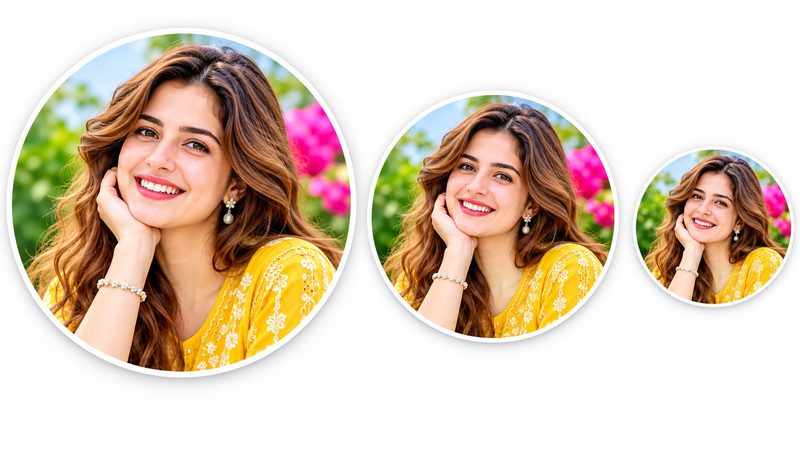
Every platform shows your profile picture as a circle — Discord, Instagram, YouTube, TikTok, Facebook, X. Upload a square photo and the platform crops it for you, usually badly: half a face, a cut-off logo, the wrong part of the picture. PixKitTools' Profile Picture Maker lets you choose the circle yourself, at the exact size each platform wants.
Make a profile picture in 4 steps
- Open the Profile Picture Maker.
- Upload your photo or logo.
- Drag the circle to frame the part that matters, then pick the size labelled for your platform — Discord, Instagram, YouTube, TikTok, Facebook or X — from 128 up to 1024 pixels.
- Download it as a transparent PNG, ready to upload. No signup, no watermark, and your photo is never uploaded.
Tips for a great profile photo
- Centre the face. A profile picture is tiny on a phone — a face that fills the circle reads instantly, a full-body shot doesn't.
- Use a bright, simple background. Busy backgrounds disappear into noise at small sizes.
- Logos need transparency. A logo on a white square looks cheap in a circle; a transparent PNG lets the circle be the shape, not a box.
- Test it small. Before uploading, shrink the result to thumbnail size — if you can't recognise it, re-crop.
One photo, every platform
Make the circle once at the largest size (1024 px), and you can reuse it everywhere — downscaling a big profile picture stays sharp, while upscaling a small one goes soft. Keep the 1024 px file as your master copy.
Is it really free?
Yes. All 22 PixKitTools tools are free with no signup, no watermark and no daily limit, and everything runs in your browser.